Blog · 31 October 2026
Build an RSVP app with ChatGPT or Claude, with sign-in and saved guests
A spreadsheet link lets every guest see and change everyone's answers. A form builder works, but it's rarely what you pictured. If you use ChatGPT or Claude, you can describe the RSVP app you want and get a link to send out.
This tutorial builds one where guests sign in and reply, each guest sees only their own reply, and you see them all. There's no code to run and no server to set up.
What you need
- ChatGPT or Claude, with Toupas added. It takes one setup, and it's the same as for making a website.
- A Toupas account. New apps are free for 30 days, with no card.

Step 1: Describe the app, and who can see what
The most important part of your message is who can do what. Say it plainly:
Make me an RSVP app for my birthday party and put it live with Toupas.
It's on 14 December at 7pm, at home in Pune.
Guests sign in with their email and say if they're coming,
and how many people they're bringing.
Guests only see their own RSVP and can change it. I can see all of them.
Only people I invite can sign up.
The last line is optional. Without it, you can let anyone with the link sign up.
Step 2: Check the rules it gives back
The chat answers with your link and describes the access rules in plain words. Read these. They're what Toupas enforces on the server, so they matter more than how the page looks.
You want them to say something like:
- Guests can add an RSVP, and see and change only their own.
- You can see and change all of them.
- Nobody else can see the list.
If anything's off, say so: "Guests shouldn't be able to delete an RSVP." The chat updates the rules.
Step 3: Try it as a guest
Don't skip this. Open the link in a private browser window and sign in with a second email address. Guests sign in with a code sent by email, so there are no passwords to lose.
Add an RSVP. Then sign in with a third address, and confirm you can't see the second person's reply. It takes a minute and tells you the rules work the way you meant.
If the code doesn't arrive, check spam. Toupas also limits how many sign-in emails an app can send: 20 an hour for each app on a free trial and 60 on a plan, and 5 an hour to any one address. For a party, that's rarely a problem, but don't send 200 invitations and expect everyone to sign in during the same hour on a trial.
Step 4: See your guest list
Your app has an admin page at /_admin, for example yourapp.toupas.app/_admin. There, you can see the replies, manage people and download everything. Here it is with example data:
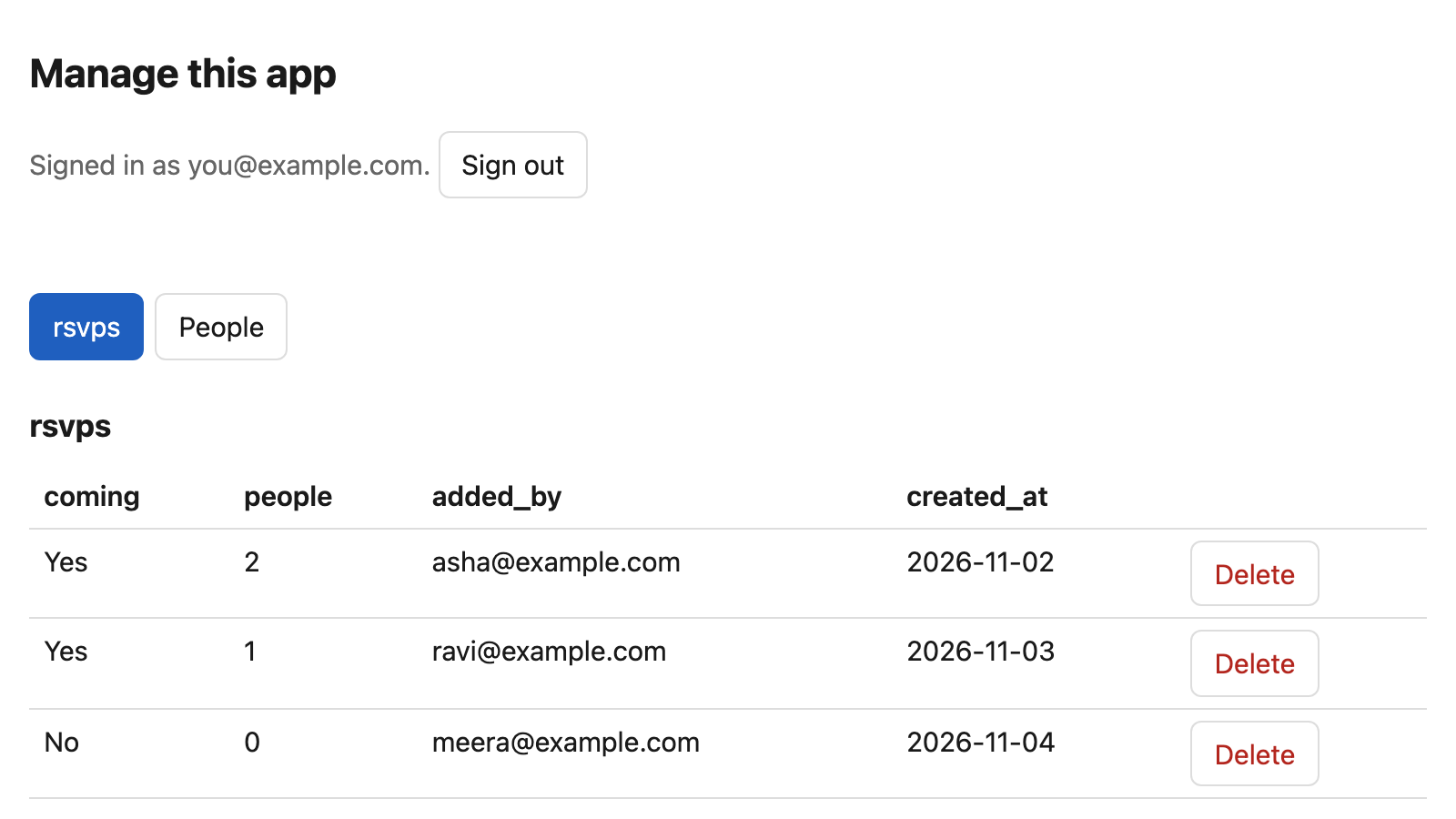
The chat can't see these replies. It knows the shape of your data and how many rows there are, but not what guests wrote. If you want a headcount, the admin page is the place to look. It's also a reasonable privacy promise to pass on to your guests.
Step 5: Change it later
You can do this in a new conversation, on any device:
Add a meal choice to my RSVP app: vegetarian, vegan or anything.The same app updates, and existing replies stay. Be more careful with requests that remove something, like "delete the plus-ones field", as they can remove saved data. The chat asks you to confirm those first.
Other things you can build the same way
RSVPs are one version of a very common pattern: people add something, and rules decide who sees it. The same approach suits:
- A waitlist that shows the public a count, with the emails visible only to you
- A guestbook anyone can read, but only signed-in people can sign
- A simple customer list for a small team
- A shared tracker with roles, like "manager" and "member"
- A members-only directory
Before you start something bigger, read what you can and can't build from a chat. You can't take payments for ticketed events this way, for example.
What it costs
Free for 30 days, then the App plan. When a trial ends, the app stops until you choose a plan, and its data is kept for 30 days. If your party's over by then, download your list from the admin page and let it go.