Blog · 17 November 2026
We built a creator's growth tracker in one chat. Here's what broke.
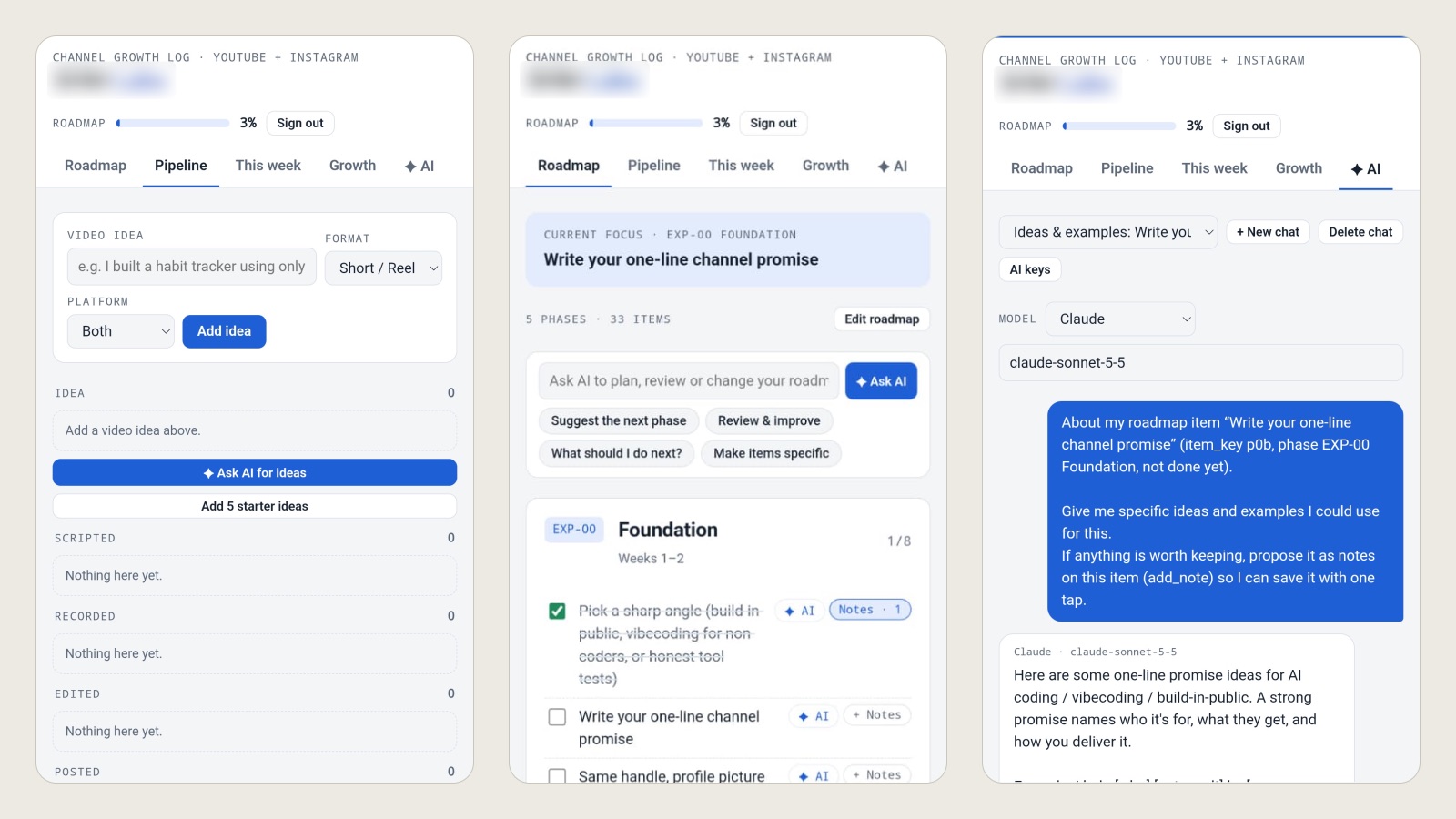
A creator asked Claude, with Toupas added, for a private tracker for their YouTube and Instagram channel: a roadmap checklist, a video pipeline, a weekly view and a growth log. It worked on the first try. Then they kept asking for more: notes, an editable roadmap, and an AI assistant using their own keys.
Over one long chat, the app broke six times in ways the person couldn't have fixed alone. Each one pointed at something Toupas should have handled. This is what broke, why, and what we changed.

What we built
By the end, the tracker had:
- A roadmap of phases and checklist items, editable, with typed notes on each item
- A video pipeline from idea to posted
- A weekly view and a growth log
- An AI assistant using Claude or Gemini with each person's own key, that proposes changes for the person to apply, with an ✦ AI button on every item
1. The app went blank after the AI was added
What happened: the person approved the AI assistant, reopened the installed app, and got an empty page.
Why: once an app on Toupas can call other services with your keys, its pages get a strict security policy that blocks code written inside the page. The app's code was all inline. Nothing warned anyone before it went live.
What changed: publishing now checks the pages first. If code would be blocked, it stops and says which file and line to move. More on this error.
2. We couldn't tell what was being blocked
What happened: after the fix, part of the app still didn't load, and the error log said only "a script was blocked".
Why: Toupas kept which rule was broken, but not *what* broke it. The chat had to guess, and guessed by merging files until it worked.
What changed: the app's problem list now says what was blocked (inline code, one of the app's files, a browser extension or another site) and on which page. Installed apps also always pick up a new offline cache script, so an old copy can't linger. More on installed apps and updates.
3. The roadmap was copied halfway
What happened: the starting roadmap, 5 phases and 33 items, was saved one item at a time when the app first opened. It stopped at 3 phases and 19 items. The chat added a Restore them button to recover.
Why: there was no way to save many rows at once, so anything that interrupted the page left half the data.
What changed: apps can now save up to 100 rows in one step, all or none. We also started recording when an app hits its write limit, which is why this one left no trace.
4. The owner could read everyone's AI keys
What happened: each person's Claude or Gemini key was saved in a hidden field. Hidden from the page, yes. But the app's admin page and its data export showed it to the owner, in plain text.
Why: "hidden" meant hidden from visitors, and admins saw everything.
What changed: a new secret field type. It's encrypted, can be written but never read back, and shows the owner only "set · ends in x7Q2". The app's code never sees it either: Toupas adds it to the request itself. Fields hidden from admins no longer show on the admin page. How to let users bring their own key.
5. OpenAI and Gemini couldn't take users' keys properly
What happened: OpenAI had to be hidden from the app, and Gemini went through a workaround address.
Why: OpenAI takes its key in the Authorization header, which Toupas only filled with the owner's keys. Gemini's normal address has a : in it (…/gemini-2.5-flash:generateContent), and Toupas's rules for addresses didn't allow that, or the dots in the model name.
What changed: people's own keys work in any header, including Authorization, and addresses can have fixed text around a part that changes, like Gemini's.
6. Claude's answer wasn't readable
What happened: the person asked for ideas on one checklist item and got a wall of raw JSON in the chat.
Why: the app asked Claude for JSON in plain words. Claude wrote "ːIdea".replace("ː", "") where a value belonged, and one expression made the whole answer unreadable. The chat's first fix forced Claude to answer through a tool, which newer Claude models refuse outright. We found that one while writing this post.
What changed: chats are now told to use each service's structured output, which guarantees the shape. How to get valid JSON every time.
And a small one: the app's Google Fonts never loaded, because the same security policy blocked them. Apps can now name a font service to allow.
What we learned
- A chat can make something look done that isn't. Several of these looked fine in the chat's own tests and only failed on a real phone, with a real policy and real data.
- Defaults have to be safe on their own. The person never asked who could read the keys. They shouldn't have to.
- Errors need to say what, not just that. Most of the time lost here went on guessing.
If you're building with AI in a chat, the same advice from our RSVP tutorial applies: test what matters on the device you'll use, as the person who'll use it.
Questions
Can you build a full app in one ChatGPT or Claude chat?
Yes, with a host added to the chat. Expect to test on your phone and ask for fixes along the way, as you would with a developer.
Why did my app made with AI break after adding a feature?
Often because the new feature changed something around the code, such as a stricter security policy or new data, rather than the code itself. Check the browser console and the app's error log.
Is it safe to save users' API keys in an app built with AI?
Only if they're encrypted, can't be read back by the page or the owner, and are used only for that person's requests. On Toupas, use a secret field.